


Fortigate firmware À缳ġ

   Á¶È¸ 10924   Ãßõ 0    

https://www.ehostidc.co.kr/cscenter/consulting.php (685)
https://blog.naver.com/goethe1 (679)


안녕하세요. 이호스트ICT입니다.

오늘은 Fortigate firmware 재설치 방법에 대해 알아보겠습니다!


1) 현재 firmware 확인
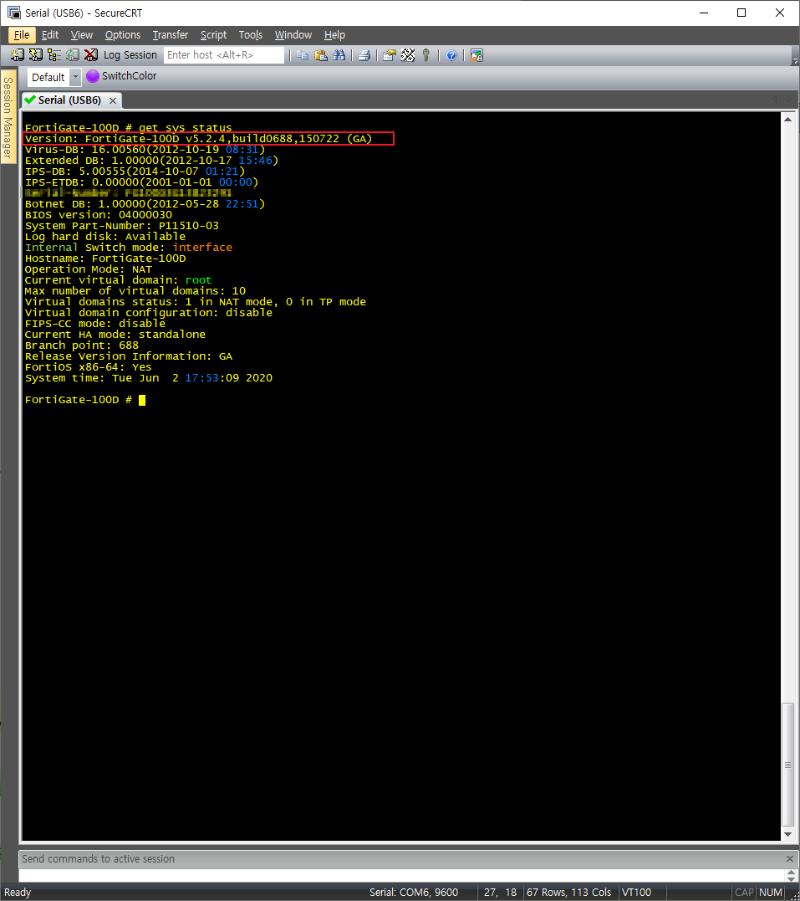

FortiGate-100D # get sys status


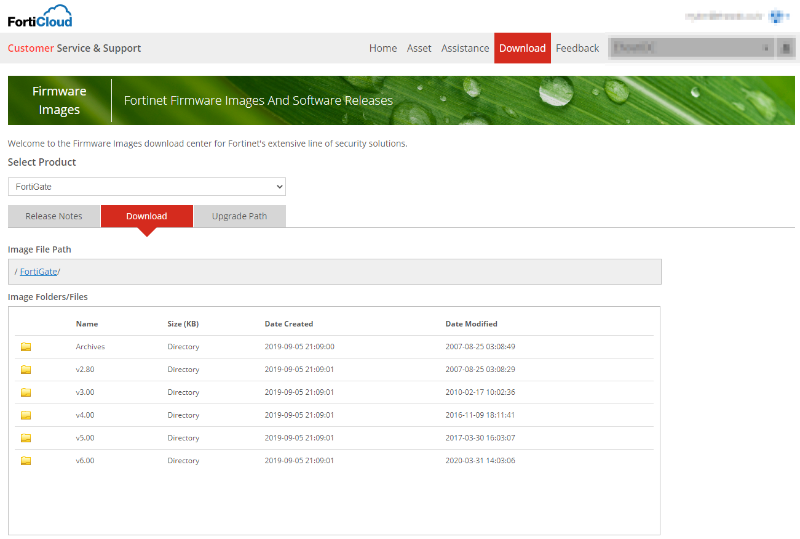
2) Firmware 다운로드 (파트너 계정 필요)


3) reboot
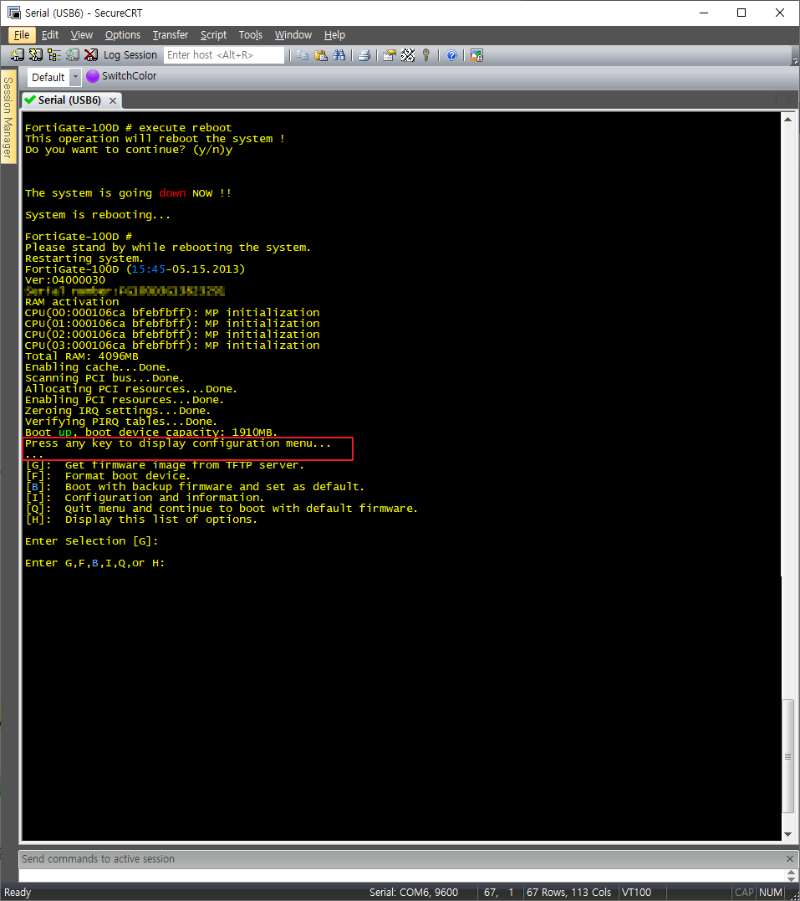

FortiGate-100D # execute reboot

‘Press any key to display configuration menu…’ 출력 시 키보드 아무키나 입력


4) 기존 firmware 삭제 및 신규 firmware 업로드
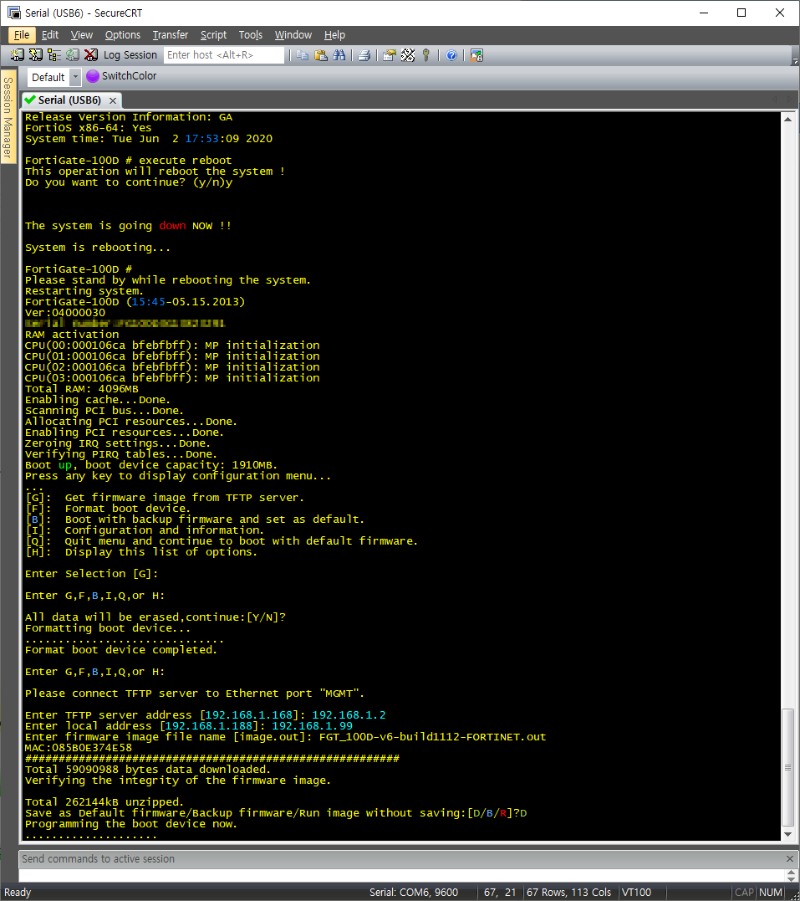

[F]:  Format boot device. (기존 firmware삭제)

[G]:  Get firmware image from TFTP server. (TFTP를 통한 신규 firmware 업로드)

Save as Default firmware/Backup firmware/Run image without saving:[D/B/R]?D (기본 firmware로 저장)


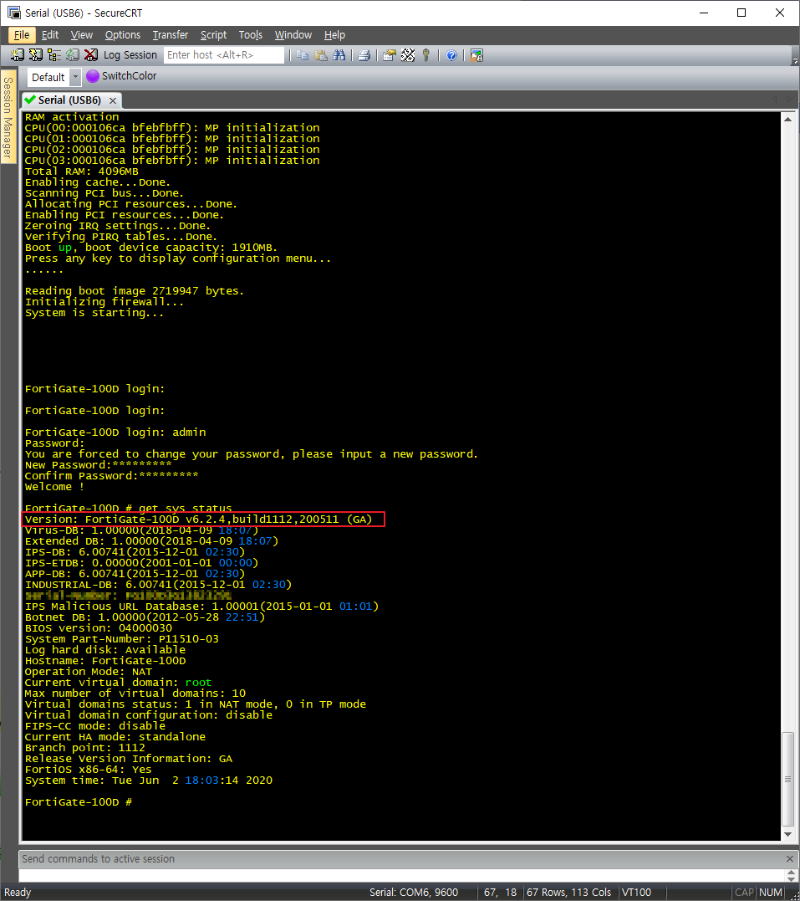
5) firmware 재설치 후 현재 버전 확인


감사합니다.

이호스트ICT였습니다 :)

ªÀº±Û Àϼö·Ï ½ÅÁßÇϰÔ.


PDS
Á¦¸ñPage 21/80
2025-07   381671   Á¤ÀºÁØ1
01-26   115084   UPDF
2021-04   10772   È­Á¤Å¥»ï
2015-12   10775   ¼Ò¸Á»ç¶û71
2019-01   10794   ¿¬À̶ûÁø
2020-03   10799   ½ºÄµl¹ÎÇö±â
2019-02   10835   À̼±È£
2018-09   10883   ByeDong
2019-07   10894   µö·¯´×¼­¹ö
2022-06   10895   ºí·¢ÆÞ
2019-03   10907   user
2018-08   10918   ¸ð½º¿ùµå
2017-08   10918   À̼±±Ô
2024-12   10924   ÇÏÀÌkwak
2020-06   10925   µö·¯´×¼­¹ö
2020-04   10930   Â÷³ÝÄÄÇ»ÅÍ
2015-12   10951   ¼Ò¸Á»ç¶û71
2015-12   10965   ¼Ò¸Á»ç¶û71
2019-02   10966   MoonsTale
2015-12   10991   ¼Ò¸Á»ç¶û71
2016-04   10997   °£Àå°ÔÀå
2019-08   10997   µö·¯´×¼­¹ö