


docker image 제작(OS)
https://www.ehostidc.co.kr/cscenter/consulting.php (649)https://blog.naver.com/goethe1 (679)


1) 현재 OS 이미지화
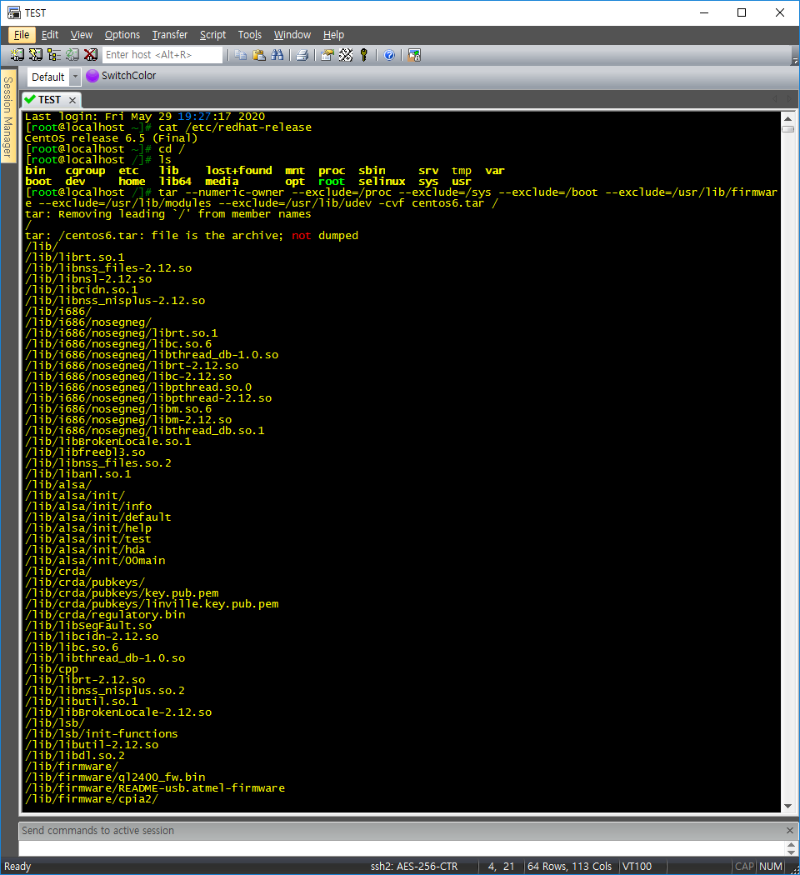
[root@localhost /]# tar --numeric-owner --exclude=/proc --exclude=/sys --exclude=/boot --exclude=/usr/lib/firmware --exclude=/usr/lib/modules --exclude=/usr/lib/udev -cvf centos6.tar /
tar --numeric-owner --exclude=/proc --exclude=/sys --exclude=/boot --exclude=/usr/lib/firmware --exclude=/usr/lib/modules --exclude=/usr/lib/udev -cvf [os].tar /
2) 압축파일 확인
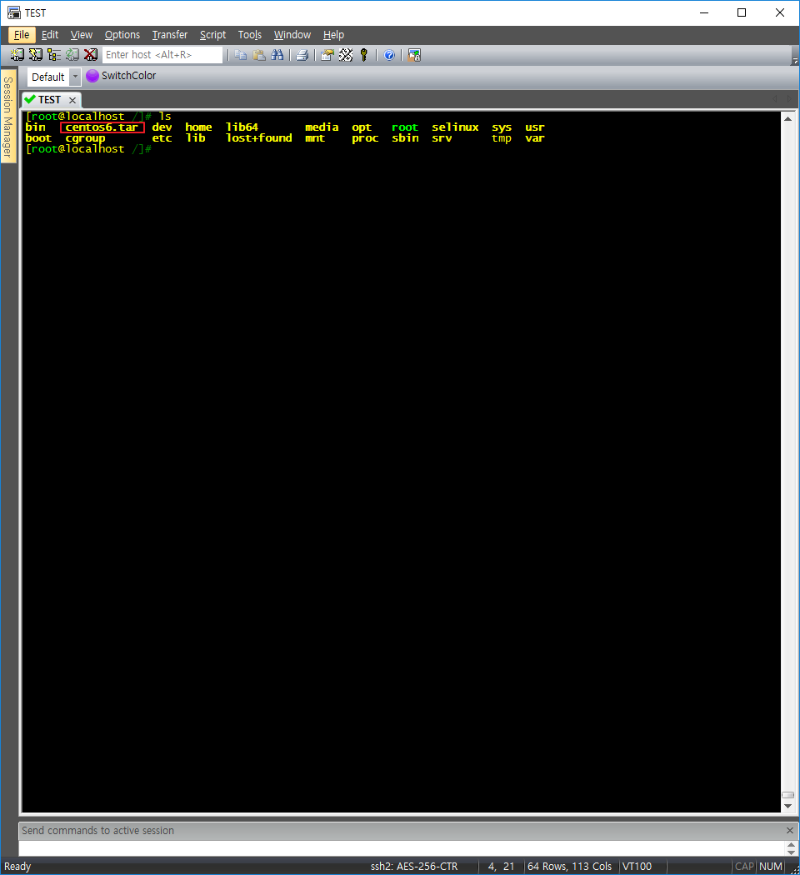
3) scp를 이용한 tar파일 이동 (https://hub.docker.com 사이트를 통해 업로드 가능)
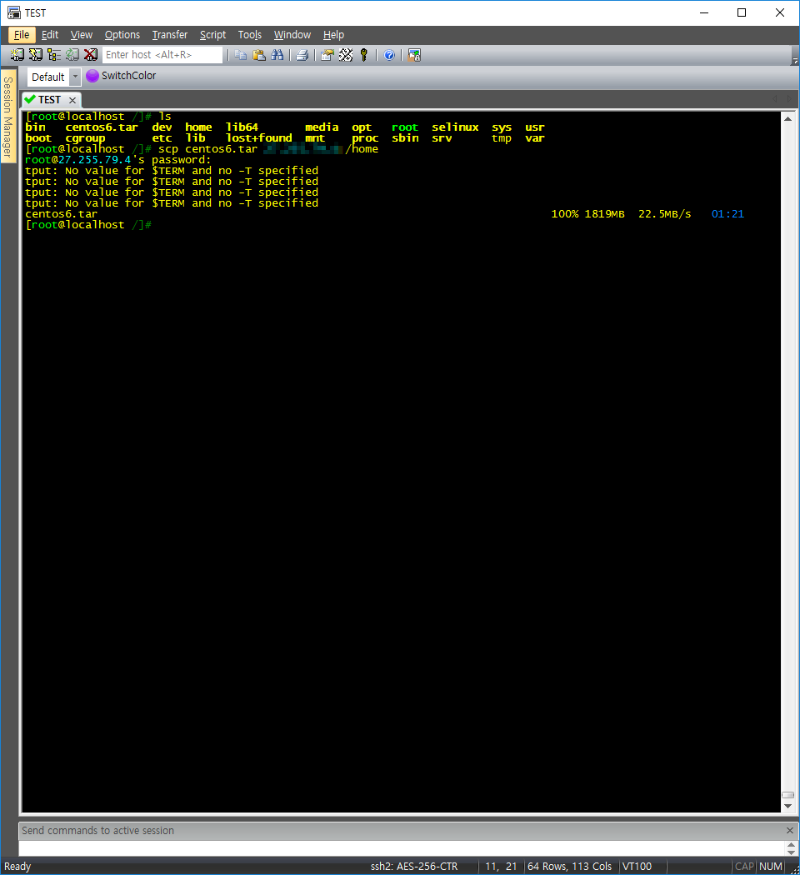
[root@localhost /]# scp centos6.tar [IP]:/home
4) image import 및 확인
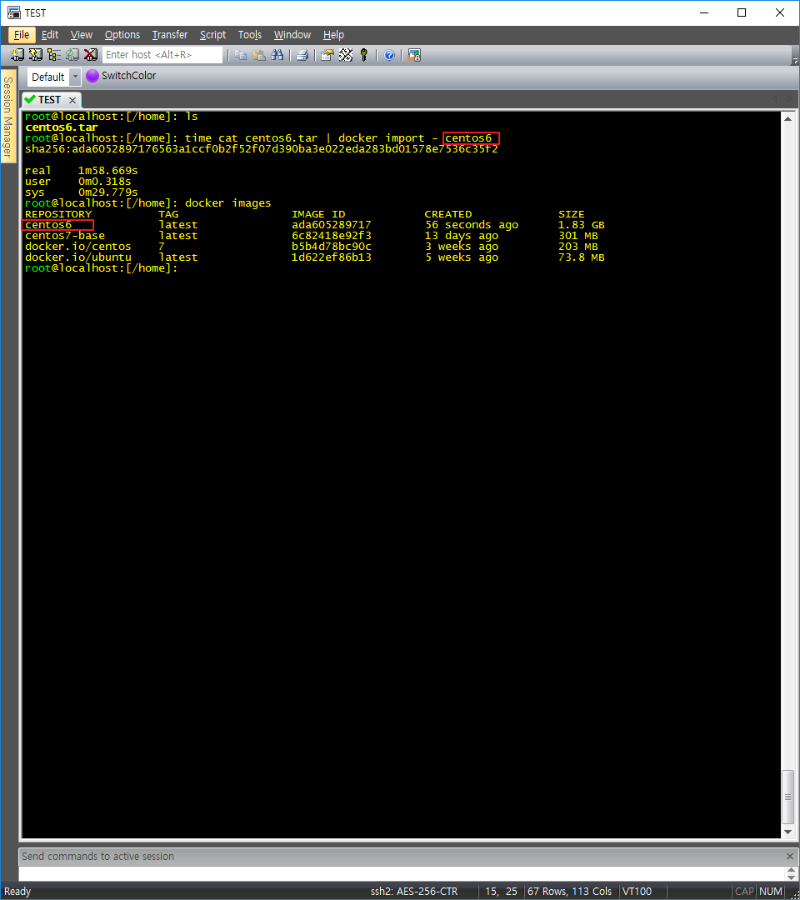
5) container 실행
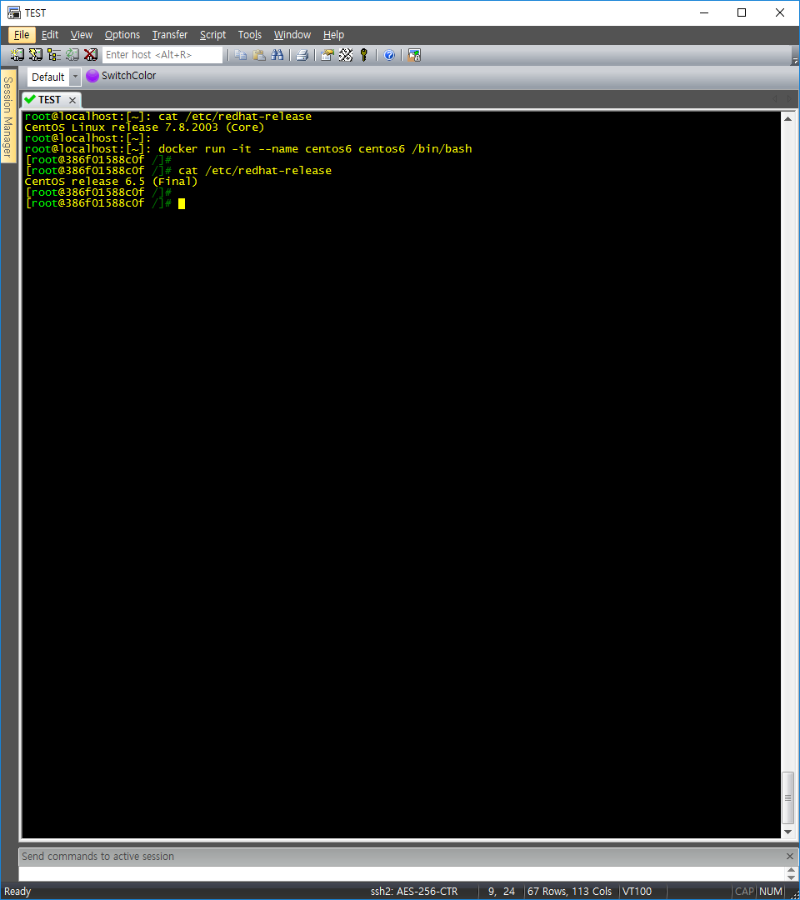
root@localhost:[~]: docker run -it --name centos6 centos6 /bin/bash
* 요약
1. CentOS6.5 OS이미지 생성(docker설치 X)
2. 생성된 압축파일 이동 (docker가 설치된 CentOS7로 이동)
3. CentOS7 내 이미지 도킹 및 컨테이너 실행
도커는 대세인것 같습니다.
좋은 내용 감사합니다.